Sunday, January 22, 2012

Important Shortcut Keys

Windows Operating Systems Shortcut keys
Shortcut Keys Description
Ctrl + (the '+' key on the keypad) Automatically adjust the width's of all the columns in Windows explorer
Ctrl + Backspace Delete word to the left of cursor
Alt + E Edit options in current program
Alt + Enter Opens properties window of Selected icon or program
Alt + Esc Switch Between open applications on taskbar
Alt + F File menu options in current program
Alt + F4 Closes Current open program
Alt + Print Screen Copies active window to the clipboard
Alt + Shift + Tab Switch backwards between open applications
Alt + Tab Switch between open applications
Ctrl + A Select all text
Ctrl + C Copy highlighted text, data, or image
Ctrl + Del Delete word to the right of cursor
Ctrl + End Goes to end of document
Ctrl + Esc Bring Up start button
Ctrl + F4 Closes Window in Program
Ctrl + Home Goes to beginning of document
Ctrl + Insert Copy selected item
Ctrl + Left arrow Moves one word to the left at a time
Ctrl + Right arrow Moves one word to the right at a time
Ctrl + V Paste
Ctrl + X Cut selected item
Ctrl + Z Undoes a previous action
End Goes to end of current line
F1 Accesses online help from most programs
F2 Renames selected Icon
F3 Starts find from desktop
F4 Opens the drive selection when browsing
F5 Refresh Contents
Holding Shift Boot safe mode or by pass system files
Holding Shift When putting in an audio CD will prevent CD Player from playing
Home Goes to beginning of current line
Shift + Del Cut selected item
Shift + Del Delete programs/files without throwing into the recycle bin
Shift + End Highlights from current position to end of line
Shift + F10 Simulates right click on selected item
Shift + Home Highlights from current position to beginning of line
Shift + Insert Paste
Microsoft Windows Shortcut Keys
Below is a listing of Windows keys that can be used on computers running a Microsoft Windows operating system and using a keyboard with a Windows key. 
Shortcut Keys  Description
Windows Key + D  Minimizes all windows and returns the user to the desktop
Windows Key + E Open Microsoft Explorer
Windows Key + F Display the Windows Search / Find feature
Windows Key + CTRL + F  Display the search for computers window
Windows Key + F1 Display the Microsoft Windows help
Windows Key + L Lock the computer (Windows XP and above only)
Windows Key + M Minimizes all windows
Windows Key + Pause / Break key  Open the system properties window
Windows Key + R Open the run window
Windows Key + SHIFT + M Undo the minimize
Windows Key + Tab Cycle through open programs through the taskbar
Windows Key+ U Open Utility Manager
Word Shortcut Keys
Shortcut Keys Description
Ctrl + A Select all contents of the page
Ctrl + B Bold highlighted selection
Ctrl + C Copy selected text
Ctrl + X Cut selected text
Ctrl + P Paste
Ctrl + F Open find box
Ctrl + I Italic highlighted selection
Ctrl + K Insert link
Ctrl + U Underline highlighted selection
Ctrl + Y Repeat the last action performed
Ctrl + Z Undo last action
Ctrl + L
Aligns the line or selected text to the left of the screen
Ctrl + E Aligns the line or selected text to the center of the screen
Ctrl + R Aligns the line or selected text to the right of the screen
Ctrl + M Indent the paragraph
Ctrl + Shift + F Change the font
Ctrl + Shift + > Increase selected font +1
Ctrl + ] Increase selected font +1
Ctrl + Shift + < Decrease selected font -1
Ctrl + [ Decrease selected font -1
Ctrl + Shift + * View or hide non printing characters
Ctrl + <left arrow> Moves one word to the left
Ctrl + <right arrow> Moves one word to the right
Ctrl + <up arrow> Moves to the beginning of the line or paragraph
Ctrl + <down arrow> Moves to the end of the paragraph
Ctrl + Del Deletes word to right of cursor
Ctrl + Backspace Deletes word to left of cursor
Ctrl + End Moves the cursor to the end of the document
Ctrl + Home Moves the cursor to the beginning of the document
Ctrl + Spacebar Enable / Disable auto correction
Ctrl + 1 Single-space lines
Ctrl + 2 Double-space lines
Ctrl + 5 1.5-line spacing
Ctrl + Alt + 1 Changes text to heading 1
Ctrl + Alt + 2 Changes text to heading 2
Ctrl + Alt + 3 Changes text to heading 3
F1 Open Help
Shift + F3 Change the case of the selected text
F4 Repeat the last action performed (2000+)
F5 Open goto window
F7 Spell check selected text and or document
Shift + F7 Activate the thesaurus
F12 Save as
Shfit + F12 Save

Monday, December 26, 2011

Aakash Tablet

An including Anroid OS a great tablet system made by or suggestion by Govt. of India Technology Department.


Features

  • Unbeatable Price:
    • Only Rs.2,999 for the UbiSlate
  • High Quality Web Anytime & Anywhere:
    • WiFi: Allows fast Youtube videos at hotspots
    • Fast web access even on GPRS networks, across the country using DataWind’s patented acceleration technology
    • Web, Email, Facebook, Twitter and much much more!
  • Multimedia Powerhouse:
    • HD Quality Video
  • Watching movies in the palm of your hand on a 7” screen
    • Audio library software helps manage your full collection of songs
  • Applications Galore with Android 2.2:
    • Games
    • Productivity software: Office suite
    • Educational software
    • Over 150,000 apps!
  • Full sized-USB port & Micro-SD slot:
    • Expand memory to 32GB
    • Use any ordinary pen-drive
    • Even plug-in a 3G dongle

Configuration
  • Unbeatable Price:
    • Only Rs.2,999 for the UbiSlate
  • High Quality Web Anytime & Anywhere:
    • WiFi: Allows fast Youtube videos at hotspots
    • Fast web access even on GPRS networks, across the country using DataWind’s patented acceleration technology
    • Web, Email, Facebook, Twitter and much much more!
  • Multimedia Powerhouse:
    • HD Quality Video
  • Watching movies in the palm of your hand on a 7” screen
    • Audio library software helps manage your full collection of songs
  • Applications Galore with Android 2.2:
    • Games
    • Productivity software: Office suite
    • Educational software
    • Over 150,000 apps!
  • Full sized-USB port & Micro-SD slot:
    • Expand memory to 32GB
    • Use any ordinary pen-drive
    • Even plug-in a 3G dongle

Available Accessories
  • Full set of accessory options:
    • Car charger
    • External antenna
    • Keyboard case
  • Convert it into a laptop!

Just Enjoy !!!!!!!

Monday, March 14, 2011

Asus's New Workstation Board, P6X58-E WS


LGA 1366 is not dead, at least it won’t be until Q4 (probably) when Intel will finally releases its LGA 2011 platform, so we won’t give Asus a hard time about launching yet another motherboard powered by the X58 chipset. Besides, it’s a workstation board.


Named P6X58-E WS, the new X58 offering promises to work 24/7 for at least 24 months, powered by some of the fastest hardware available, like Core i7 or Xeon processors, and Nvidia GeForce 500 series or AMD Radeon HD 6000 series graphics cards (everything but the board is sold separately).

Asus’ board has a 16+2 phase power design and packs six DDR3-2000 memory slots, one Nvidia NF200 bridge chip providing extra lanes to the five PCI-Express x16 slots included (3-way SLI and CrossFireX are supported), dual Intel server-class Gigabit LAN, plus two SATA 6.0 Gbps and six SATA 3.0 Gbps ports.

The P6X58-E WS also has an EPU, two USB 3.0 ports, 7.1 channel audio, diagnostics LEDs, two FireWire connectors, and a fanless (passive) cooling solution. Pricing info was not provided but you can bet this one won’t be cheap.

Wednesday, January 26, 2011

Trend Micro To Pump Up Volume Business


Trend Micro aims to triple its volume business and has recently signed Neoteric Infomatique as national distributor.

“We never focused on driving the volume business in India till now, but we want to change that. Our strategies for volume business are designed for the long term,” said Amit Nath, Country Manager, India and Saarc, Trend Micro.

While on the consumer front Trend Micro has an abysmal market share, in the small business segment it has been doing reasonably well.

“In small business space we are currently adding close to 600-700 new customers every quarter. The plan is to more than triple it to 1,500-2,000 customers per quarter. The partnership with Neoteric, and the launch of the latest edition of Titanium and Worry Free range will help us get there,” he said.

Nath added that Titanium has been priced very competitively keeping in mind the price sensitivity of the Indian consumer. “Since its launch, Titanium has been getting rave reviews. We have priced it at Rs. 1,200 per user per year—which is very competitive in terms of price-performance, when compared to its peers. The new edition of Worry Free also includes several new features and is much lighter.”

Trend Micro plans to triple its partner base and has identified 25 tier-2 and tier-3 cities where it will soon embark on a major reseller enrollment program along with Neoteric. “We have lined up a series of events in these cities and have rolled out incentive programs for small-city resellers. The whole objective between now and end of March is to get our coverage right,” Nath said. The company has increased its marketing and channel development budget by almost 70 percent.

Tikona to Acquire HCL Infinet


Tikona Digital Networks has signed an agreement to acquire HCL Infinet, the wholly-owned subsidiary of HCL Infosystems. The acquisition is subject to regulatory approvals.
This is seen as a part of HCL Infosystem’s strategy to focus on its primary strengths of IT services and distribution.
“HCL Infinet is poised to take a different growth trajectory and we believe that its future plans will be better served by merging with Tikona who is a pure-play ISP and NLD service provider. HCL on the other hand plans to focus on its systems integration and product engineering business. This is a step towards further consolidating and strengthening our core business,” said Harsh Chitale, Chief Executive Officer, HCL Infosystems.
Tikona started as an ISP in 2008 serving the Mumbai market, and has been expanding across the country with services for both consumer and enterprise segments. Its primary focus is to offer wireless broadband connectivity. The company is also expanding its channel network to target the enterprise business.
HCL Infinet started its ISP and NLD operations in 2000 and holds the Class A ISP license. Its customer base largely consists of enterprise customers.

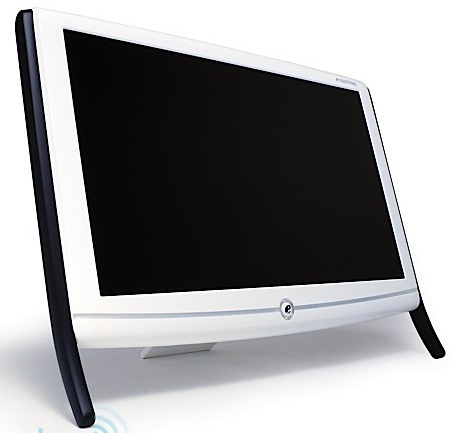
eMachine Brand Grew 100 Percent In 2010


Acer’s eMachine brand targeted at the price-conscious consumer segment has witnessed a 100 percent YoY growth in 2010. It recorded average sales of 8,000 units per month during 2010, compared to an average of 4,000 units per month in 2009.

Commenting on the growth of the eMachine brand, S Rajendran, CMO, Acer India said, “The multi-brand strategy has worked quite well for us. The eMachine sales figures show that we have gone beyond our expectation and delivered more than the targeted figure. We hit an average of close to 8,000 units of eMachine notebooks and netbooks per month, while on the desktop front; we achieved an average monthly sale of 2,000 units.”

Rajendran said that the reasons for eMachine doing well are its focused distribution strategy and competitive pricing. “Exclusively distributing eMachine mobile PCs through Supertron have worked well. At its price point it’s been doing really well in the hinterlands. Also we floated several exciting schemes around the year which pushed up the sales.”

Highlighting the type of customer promotions Acer has been doing around eMachine, Rajendran said, “We currently have a scheme running in partnership with MTS in Rajasthan and Delhi. The eMachine model with N450 Atom with 1GB memory, 250GB hard drives and pre-bundled with a Windows 7 Starter edition is available for an MRP of Rs 12,999. Customers buying this with MTS broadband modem get Rs 2,000 cash back thus making the customer pricing at Rs 10,999. Schemes around eMachine have been local and target varying consumer demographics in different geographies.”

Acer expects the momentum to continue in 2011 as well. “eMachine will continue to be our focus in 2011 and we expect to sell more than 12,000 units per month in the year. Our strategy will be to further penetrate the upcountry market,” he claimed.

Rajendran said Acer isn’t averse to tapping the telco channel for eMachine to achieve its goal of doubling the market coverage. “We will continue with the same distribution model—Supertron will be exclusive for notebooks and netbooks while Salora, Ingram and Redington will distribute desktops. But we expect our distributors to tap the mobile channel,” he averred.

Rajendran said Acer will continue to have a limited product portfolio for eMachine mobile PCs. “Presently we have one model based on Intel Atom, two models on Pentium Dual Core and one model on Core i3. We don’t want to expand this portfolio. We want to keep things simple for our distributors and partners,” he informed.

Sony Launches Vaio YB


Sony India has launched the new Vaio YB range of notebooks based on AMD Vision CPU and GPU platforms, at a price tag starting Rs. 26,990 plus taxes.
Sporting a 11.6-inch display the Vaio YB is available in three colors of pink, silver and green.
The entry-level model comes with the AMD E-350 1.6GHz processor with Radeon HD 6310 graphics. It supports up to 4GB RAM, and ships with 500GB HDD.
The new range will be available across all Sony Centers and major large format outlets from February 2011 onwards.
With the launch of the Vaio YB range Sony has become the fourth PC vendor in the country to launch 11.6-inch notebooks based on AMD Vision platform. Lenovo, Toshiba and Dell already have models on the new platform.